A plugin that orders food
A plugin that orders what I crave. Okay.
“you can add it as a Chrome plugin to your Chrome”
Teardown 11
A trust product that hides what it is doing
“A Chrome extension that watches what you're doing on your laptop, suggests food that fits the moment, and orders it from Swiggy for you, with payment by scanning a QR code.”
10 screens · about 3 min
start ▶Something on screen makes me hungry. I want it now.
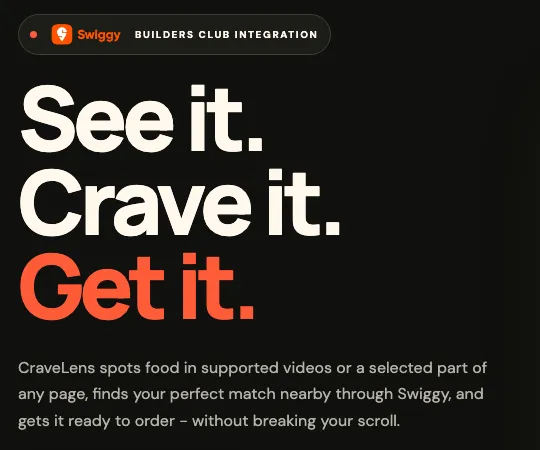
Fig. 1: The real home page: a Chrome plugin that orders what you crave.
A plugin that orders what I crave. Okay.
“you can add it as a Chrome plugin to your Chrome”
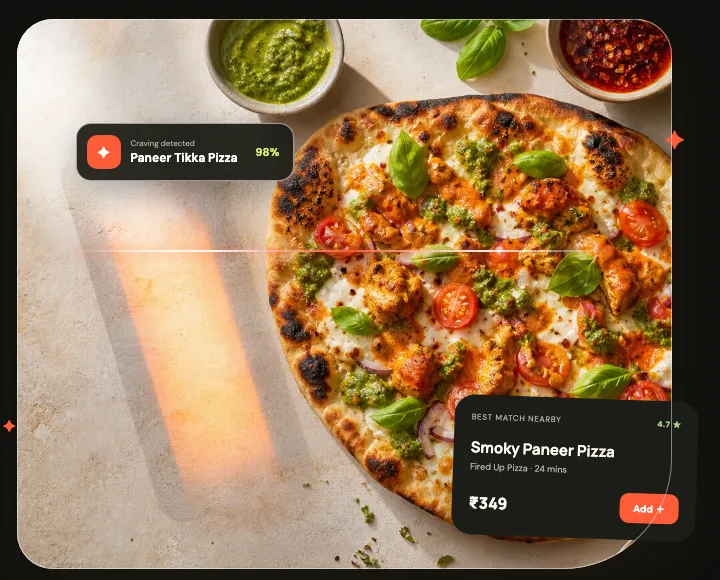
Fig. 2: The site's own mockup: the dish on screen, matched.
It saw the pizza on my screen. Wow.
“whatever you do on your laptop, you will be able to look for that particular kind of food”
Fig. 3: Setup: pick the model that checks what you watch.
My own model, on my laptop. Good.
“you can use a local AI model, or you can add your own model if required”
Fig. 4: Five closed sections, and nothing shown until you open one.
What are my options? All folded up.
“there were multiple accordions where I was not able to view what options are present”
Building a cart…
Fig. 5: Inside Swiggy now, and only a spinner says so.
It's inside Swiggy now. Doing what?
“What is actually happening in the backend itself?”
Order ready
Fig. 6: A cart and a Pay button, before any sign of how it chose.
I'm not letting this spend my money.
“This creates a non-trust factor for the user to use the application itself.”
Smoky Paneer Pizza · To pay ₹279
Fig. 7: Scan with your phone, pay from the laptop.
Paying by QR from the laptop. Neat.
“I do like the idea of you being able to pay for the meal from the laptop itself by just scanning the QR code”
Fig. 8: Where most people actually watch: no CraveLens here.
I watch on my phone. It isn't there.
“Most of the time, there are a lot of people who are using a mobile phone to do this.”
Building a cart…
Fig. 9: The same card, showing its work before it spends.
Show me each step before it spends.
“Show what the Swiggy MCP is doing in the backend, step by step, to build trust.”
C
Our grade
A trust product has to show its work.
“Interesting idea, and context-triggered ordering is a real wedge. But it's a trust product shipped with an opaque UI, and a mobile-first behaviour served on desktop only.”