Get the next teardown in your inbox.

One email when a new teardown is out. Free, one click to leave.

We'll email you a link to confirm. No account, no password.

Teardown 15 · NoteWorthy, the private AI notes appTrust 50%

Teardown 15

NoteWorthy

A private notes app with nothing private to stand on

What Ayush said · teardown

“A simple AI note-taking app focused on privacy and local-first storage. Notes are tagged by an on-device AI model, and sync between phone and laptop happens without sending data to the cloud.”

10 screens · about 3 min

start ▶

My notes are mine. I want AI that never leaves my laptop.

Teardown 15 · NoteWorthy, the private AI notes appTrust 50%55%
{TAP}

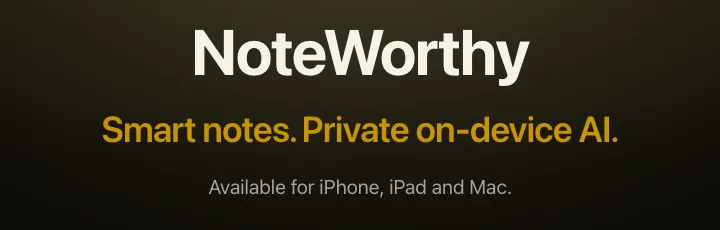
Fig. 1: The real home page: smart notes, private on-device AI.

Notes with private AI

Notes, with AI that never leaves my laptop. Okay.

What Ayush said · walkthrough

“An AI note-taking app that is a simple notetaker, with the focus on localisation and privacy.”
Teardown 15 · NoteWorthy, the private AI notes appTrust 55%65%
{TYPE}

Fig. 2: I write; it picks the label by itself.

It filed it itself

It filed my note by itself. Nice.

What Ayush said · walkthrough

“Trying it out on the MacBook, the experience is better than a normal notetaker; it tags the document well.”

Teardown 15 · NoteWorthy, the private AI notes appTrust 65%55%

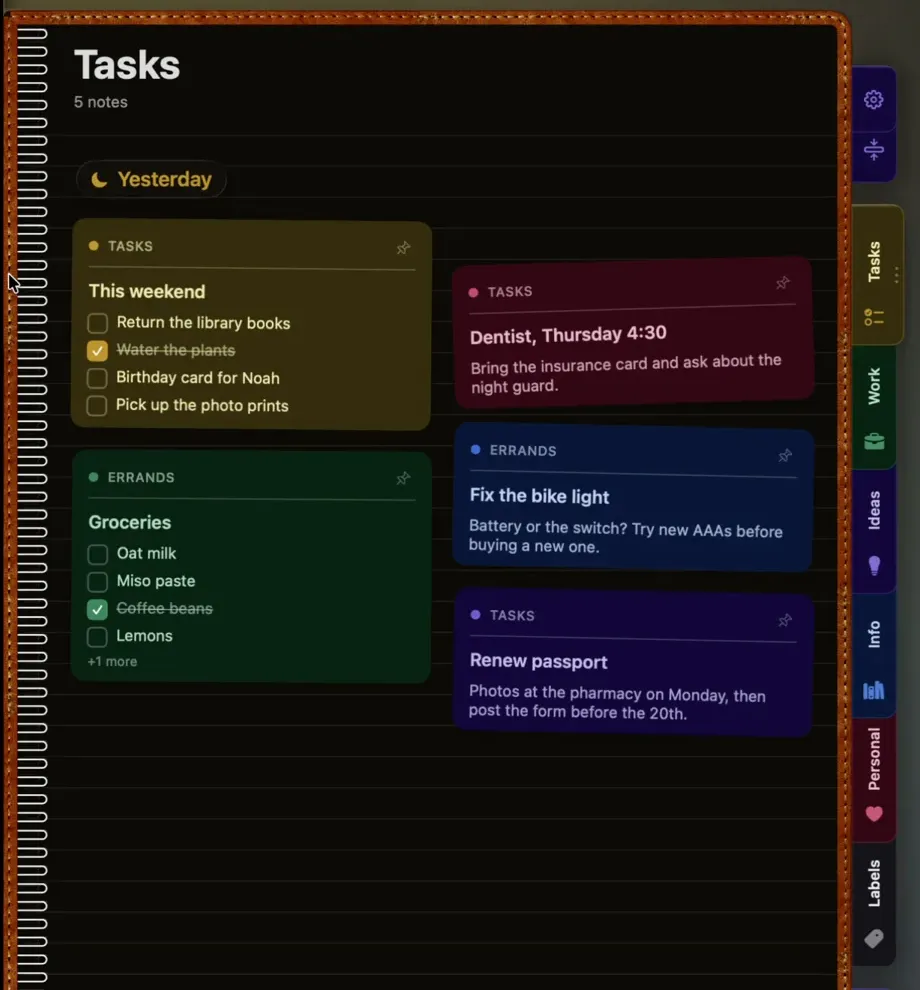
Fig. 3: The real Mac app: tidy cards, labels down the side.

Tidy, and familiar

Tidy. And just like the one I have.

What Ayush said · walkthrough

“But I think the lack itself is in the way note-taking has developed overall.”
Teardown 15 · NoteWorthy, the private AI notes appTrust 55%45%
{TAP}

Fig. 4: On my phone, two notes. On my Mac, none.

Does it get across?

Two devices. Does my note get across?

What Ayush said · walkthrough

“The limitation again comes down to the point that it needs to be synced.”

Teardown 15 · NoteWorthy, the private AI notes appTrust 45%40%
{SCROLL}

Fig. 5: Under the launch: asks for sync and an editor.

Everyone wants sync

Everyone wants sync. Sync means a cloud.

What Ayush said · walkthrough

“Even in the comments, users were asking for overall sync and an editor.”

Teardown 15 · NoteWorthy, the private AI notes appTrust 40%30%
{TAP}

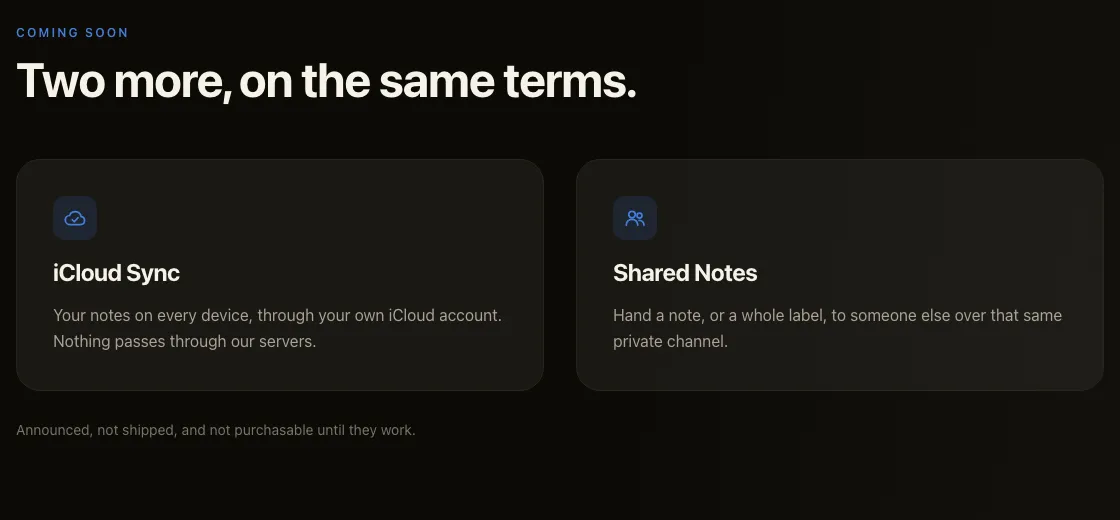
Fig. 6: Coming soon: opt-in sync through your own iCloud

Private, then a cloud?

No upload. Then sync through a cloud. Still private?

What Ayush said · walkthrough

“From the business point of view, what value does it add if the privacy pointer itself, which was based on local storage and no data transfer to the cloud, is removed?”

Teardown 15 · NoteWorthy, the private AI notes appTrust 30%25%
{SCROLL}

Fig. 7: One more note app on a crowded shelf.

Why this one?

So many note apps. Why this one?

What Ayush said · walkthrough

“There are a vast number of note-taking apps. Why would a customer use this? What is the value that it adds?”

Teardown 15 · NoteWorthy, the private AI notes appTrust 25%30%

Fig. 8: Its colours, side by side: none of them says NoteWorthy.

No face of its own

No face, no colour of its own. I'd forget it.

What Ayush said · walkthrough

“A simple Clippy-type mascot that can help the user connect with the product can help get customers.”

Teardown 15 · NoteWorthy, the private AI notes appTrust 30%55%

Fig. 9: The same notes, linked up, and still on my Mac.

A map of my notes

My notes, linked up, still on my laptop.

What Ayush said · teardown

“Knowledge graph of notes built with local AI, explicit and inspectable”

Teardown 15 · NoteWorthy, the private AI notes appTrust 55%

What mattered

The journey

Trust, slide by slide

Three moments

  1. 04Does it get across?
  2. 06Private, then a cloud?
  3. 07Why this one?
Teardown 15 · NoteWorthy, the private AI notes appTrust 55%

C+

Our grade

Clean notes, no reason

Clean notes. No reason to switch yet.

What Ayush said · teardown

“Good execution of a simple note app, weak identity and unclear positioning.”