Get the next teardown in your inbox.

One email when a new teardown is out. Free, one click to leave.

We'll email you a link to confirm. No account, no password.

Teardown 07 · Tiny Little Office, ten private toolsTrust 50%

Teardown 07

Tiny Little Office

Ten private tools that feel built for a phone

What Ayush said · teardown

“A collection of in-browser tools (word processor, outliner, presentation, spreadsheet, calculator, drawing tool, diagram maker, animator, calendar, trip planner) with one promise: everything stays on your laptop and nothing moves outside.”
10 screens · about 3 min

start ▶

My notes are private. I want an office that never uploads them.

Teardown 07 · Tiny Little Office, ten private toolsTrust 50%55%
{SCROLL}

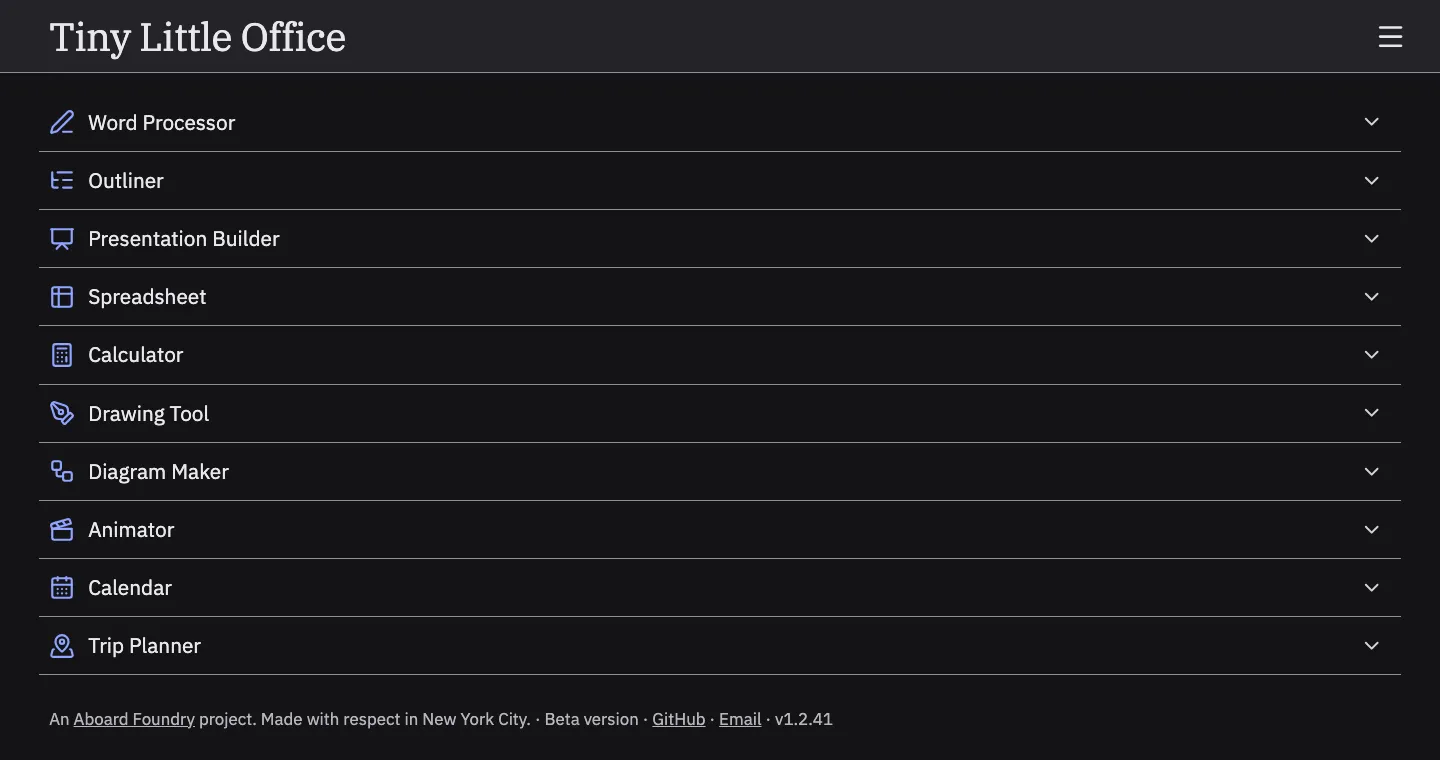
Fig. 1: The home page: ten tools, one list, no sign-up.

Ten tools, all private.

Ten tools, and nothing leaves my laptop. Nice.

What Ayush said · walkthrough

“Their whole point is that everything stays on your laptop and nothing moves outside.”
Teardown 07 · Tiny Little Office, ten private toolsTrust 55%45%

Fig. 2: The new list, next to the office I already have.

I already have one.

I already have an office. Why switch?

What Ayush said · walkthrough

“anyone who is going to use this tool already would have access to your Microsoft tools or your Google tools”

Teardown 07 · Tiny Little Office, ten private toolsTrust 45%40%
{TAP}

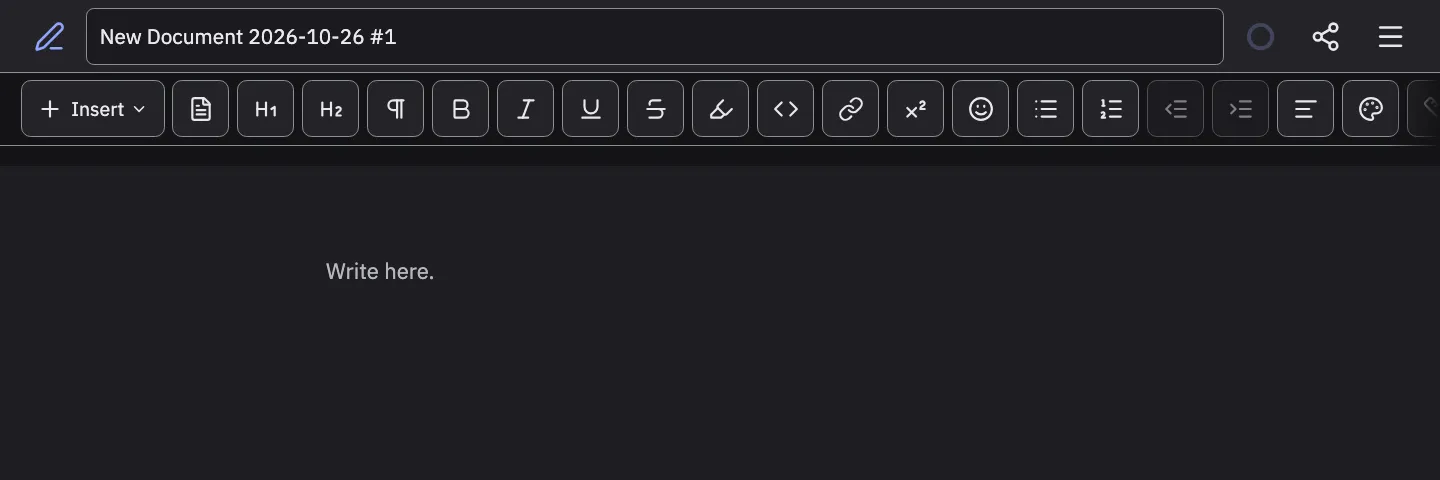
Fig. 3: The Word Processor on a laptop: buttons the size of thumbs.

Built for a phone?

Huge buttons. Did I open my phone?

What Ayush said · walkthrough

“the starting size is not that great, and it's not created for a website experience but more of a mobile experience, and they used it in the laptop as well.”
Teardown 07 · Tiny Little Office, ten private toolsTrust 40%35%
{TAP}

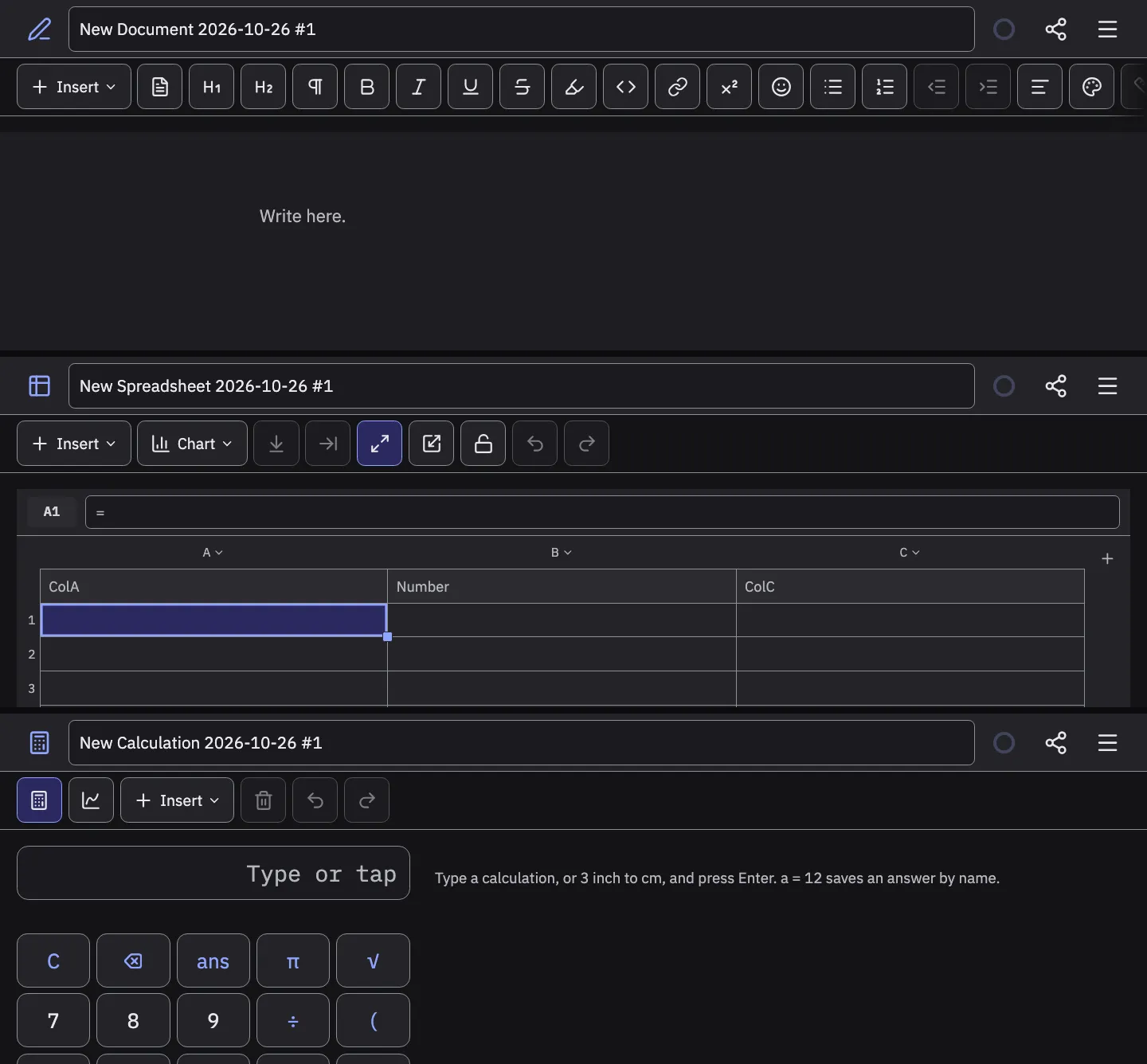
Fig. 4: Word Processor, Spreadsheet, Calculator: three layouts, three sizes.

Every tool a different size.

Every tool is a different size.

What Ayush said · walkthrough

“The second thing is that each tool sizing is different”
Teardown 07 · Tiny Little Office, ten private toolsTrust 35%30%
{TAP}

Fig. 5: The menu, as it was in the walkthrough: no theme switch.

No switch for dark.

Dark at noon, and no switch.

What Ayush said · walkthrough

“you cannot change the light and dark mode. It depends on whichever you are currently in, it will automatically go to that particular settings.”

Teardown 07 · Tiny Little Office, ten private toolsTrust 30%25%
{TAP}

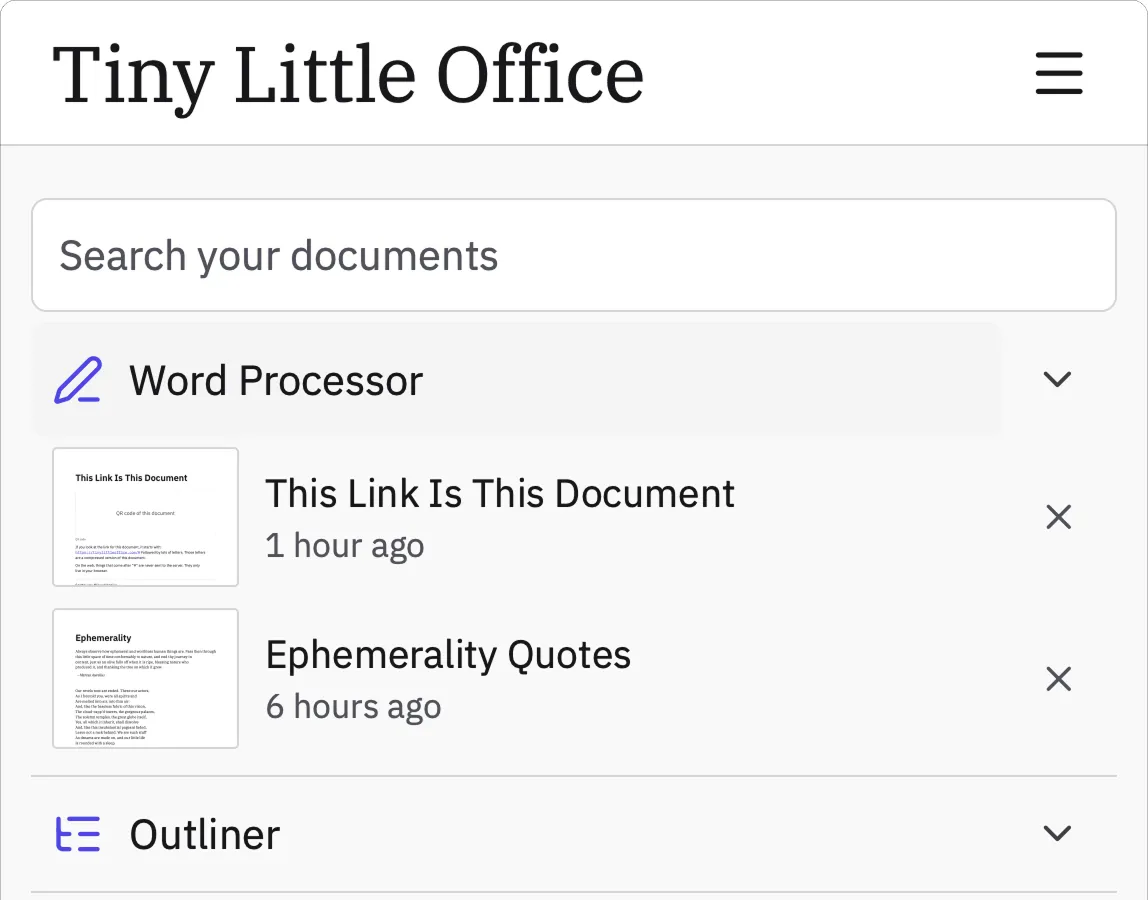
Fig. 6: My saved files live inside the row whose chevron opens templates.

My file opened templates.

I tapped my file. I got templates.

What Ayush said · walkthrough

“after you save a particular file, it shows up on the particular accordion itself, but when you click on accordion, it opens up the different types of templates that you can use.”
Teardown 07 · Tiny Little Office, ten private toolsTrust 25%20%
{TAP}

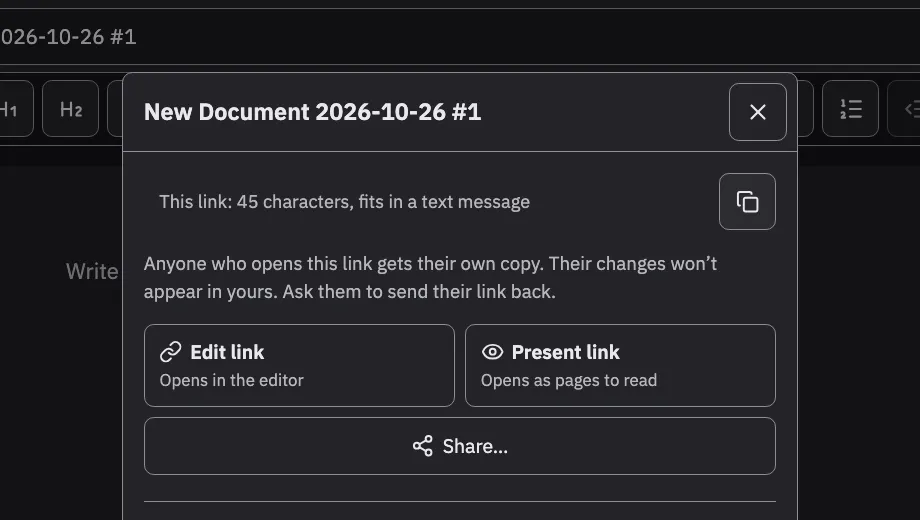
Fig. 7: Right after I click Copy link: the dialog looks exactly the same.

Copied? No sign.

Did it copy? No idea.

What Ayush said · walkthrough

“the most used interaction the copy button when I click there is no state/feedback that tells me the link is copied.”

Teardown 07 · Tiny Little Office, ten private toolsTrust 20%50%

Fig. 8: Saved files and templates, before and after.

Files here, templates there.

My files here, new ones there. And it says Copied.

What Ayush said · teardown

“Wants the interface scaled down (it is too large right now), consistent sizing across tools, a way to change the theme, a clear separation between saved files and templates, and visible copy feedback.”

Teardown 07 · Tiny Little Office, ten private toolsTrust 50%60%

Fig. 9: The owner's idea: a helper inside the tool that never leaves the laptop.

A helper that stays home.

A helper that never leaves my laptop.

What Ayush said · walkthrough

“creating a office suite which has the power to get your own API or run a local LLM which can operate or give you information for that particular office tool, which can help with the security issues.”

Teardown 07 · Tiny Little Office, ten private toolsTrust 60%

What mattered

The journey

Trust, slide by slide

Three moments

  1. 04Every tool a different size.
  2. 06My file opened templates.
  3. 07Copied? No sign.
Teardown 07 · Tiny Little Office, ten private toolsTrust 60%

C

Our grade

Private isn't the product.

Private is the promise. The experience is the product.

What Ayush said · teardown

“Privacy alone doesn't define the product; the experience is where it can be done better.”