Ten tools, all private.
Ten tools, and nothing leaves my laptop. Nice.
“Their whole point is that everything stays on your laptop and nothing moves outside.”
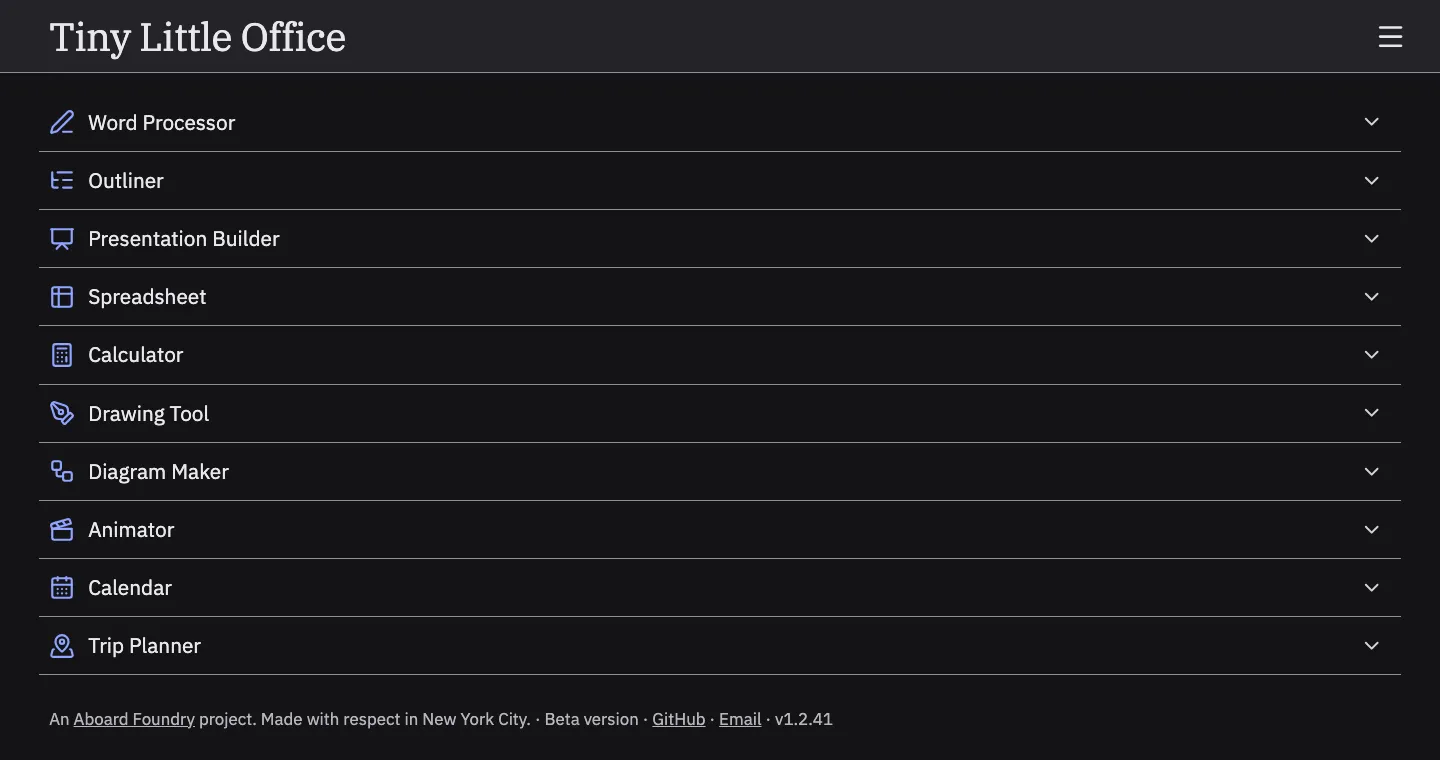
Fig. 1: The home page: ten tools, one list, no sign-up.
Ten tools, and nothing leaves my laptop. Nice.
“Their whole point is that everything stays on your laptop and nothing moves outside.”
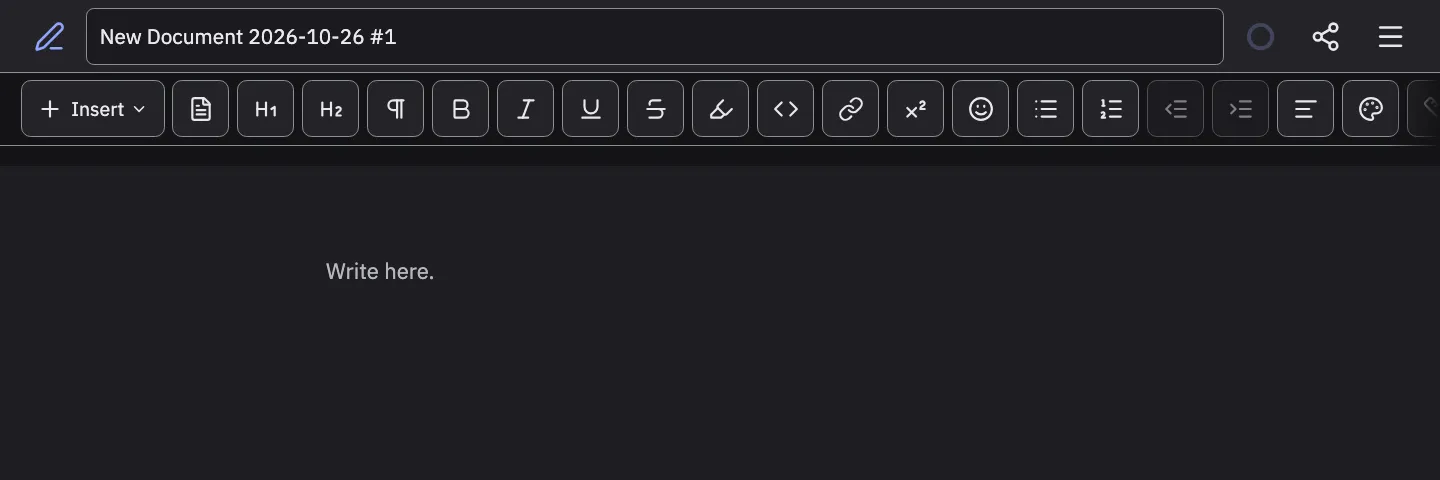
Fig. 3: The Word Processor on a laptop: buttons the size of thumbs.
Huge buttons. Did I open my phone?
“the starting size is not that great, and it's not created for a website experience but more of a mobile experience, and they used it in the laptop as well.”
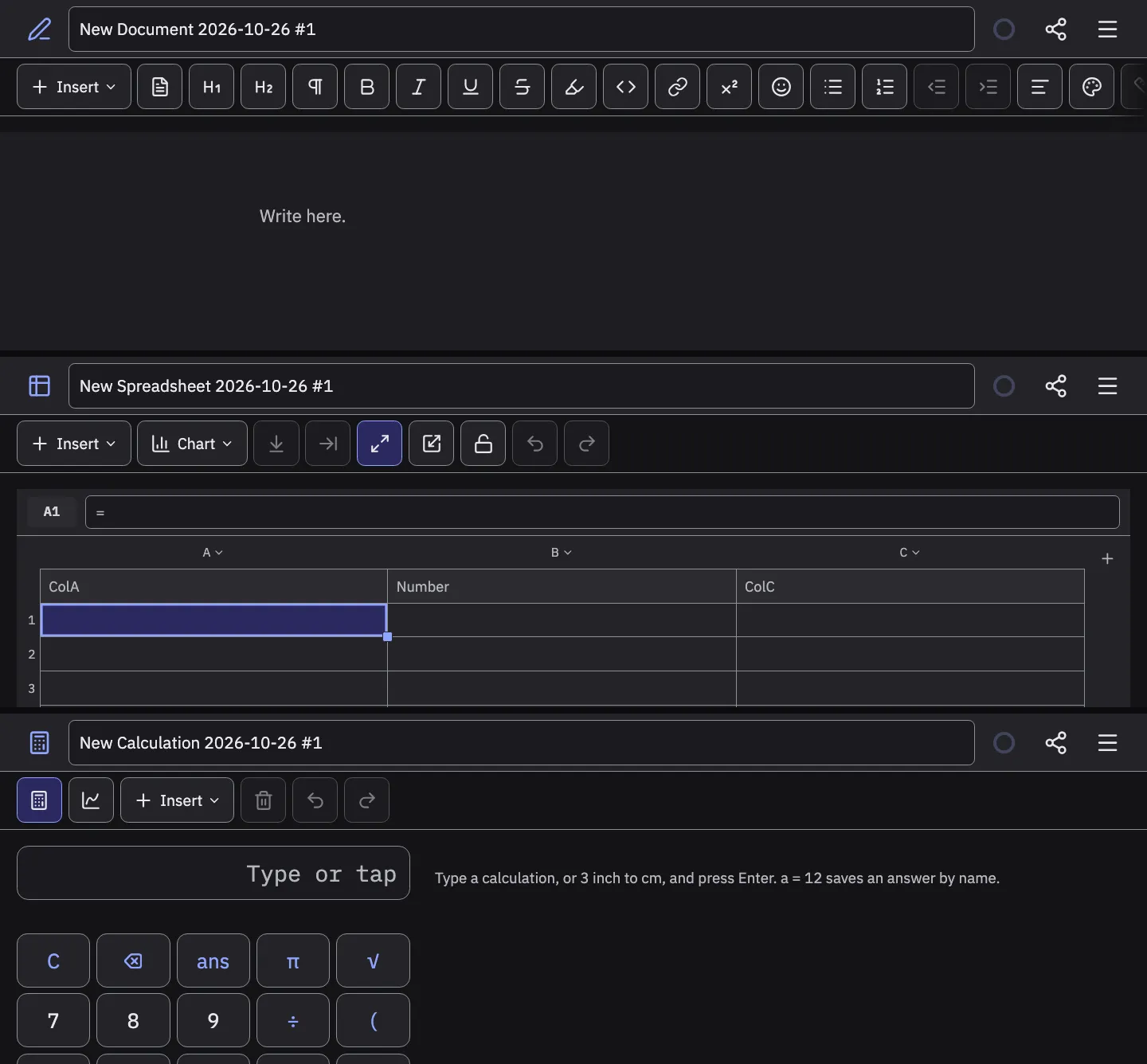
Fig. 4: Word Processor, Spreadsheet, Calculator: three layouts, three sizes.
Every tool is a different size.
“The second thing is that each tool sizing is different”
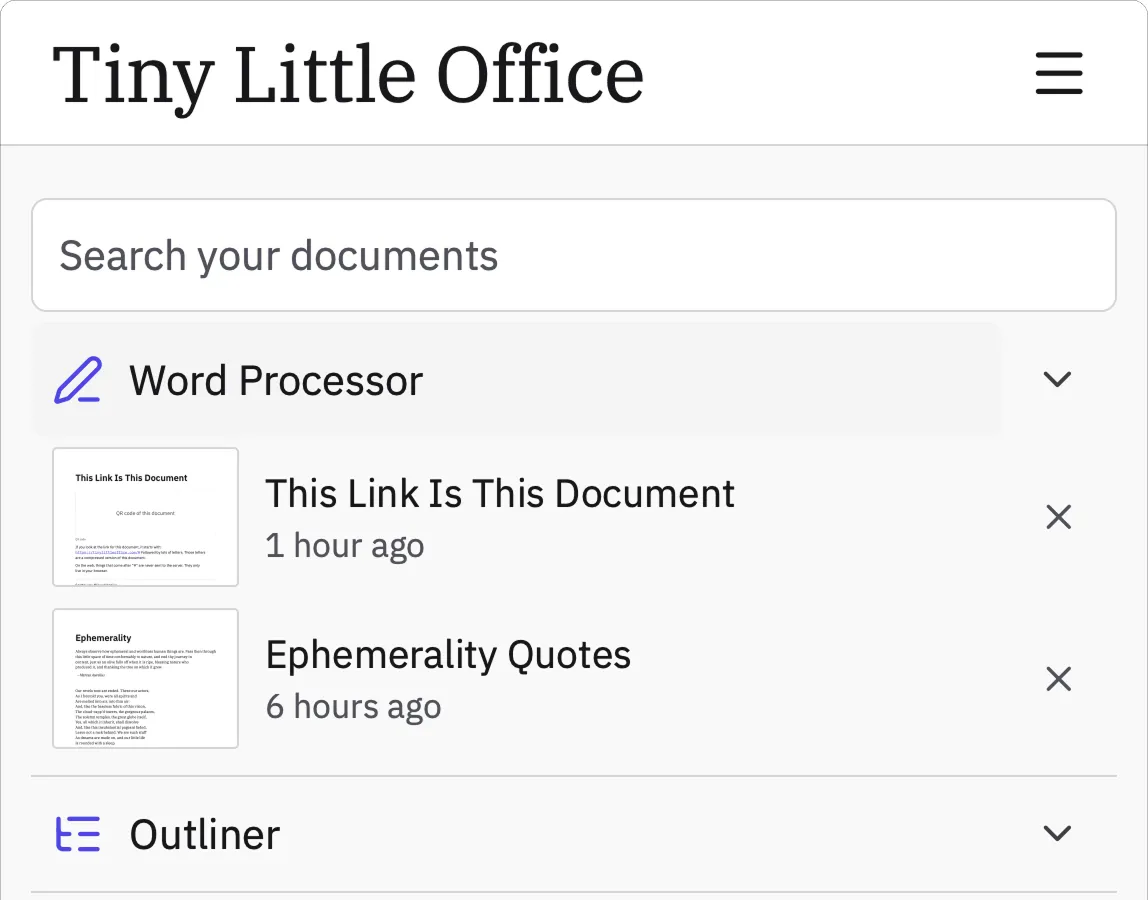
Fig. 6: My saved files live inside the row whose chevron opens templates.
I tapped my file. I got templates.
“after you save a particular file, it shows up on the particular accordion itself, but when you click on accordion, it opens up the different types of templates that you can use.”
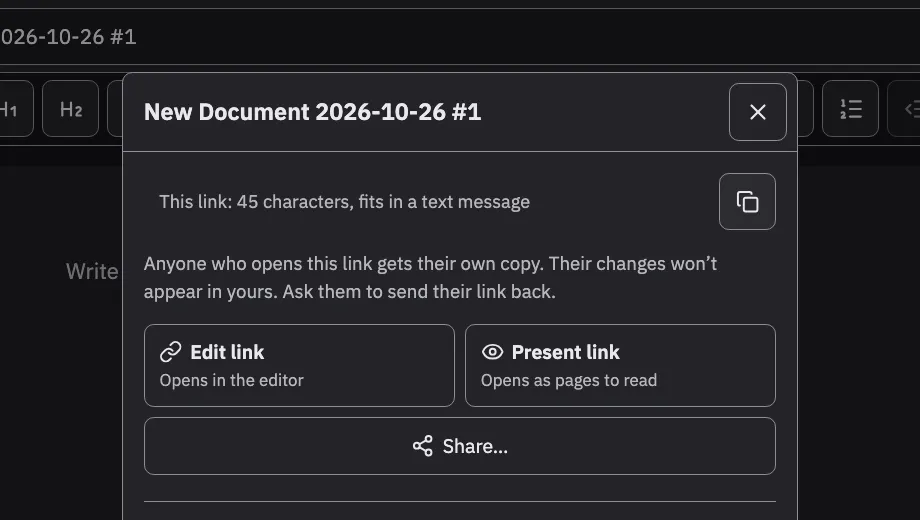
Fig. 7: Right after I click Copy link: the dialog looks exactly the same.
Did it copy? No idea.
“the most used interaction the copy button when I click there is no state/feedback that tells me the link is copied.”
Fig. 8: Saved files and templates, before and after.
My files here, new ones there. And it says Copied.
“Wants the interface scaled down (it is too large right now), consistent sizing across tools, a way to change the theme, a clear separation between saved files and templates, and visible copy feedback.”