Get the next teardown in your inbox.

One email when a new teardown is out. Free, one click to leave.

We'll email you a link to confirm. No account, no password.

Teardown 03 · Pip, the Mac screen buddyTrust 50%

Teardown 03

Pip

An AI buddy that sees your whole screen, but never says why it's safe

What Ayush said · teardown

“An AI buddy for your Mac that sees your screen, talks you through things, and points exactly where to click, even for tasks that take several clicks.”

9 screens · about 3 min

start ▶

My Mac confuses me sometimes. A buddy that points? Yes please.

Teardown 03 · Pip, the Mac screen buddyTrust 50%
{TAP}

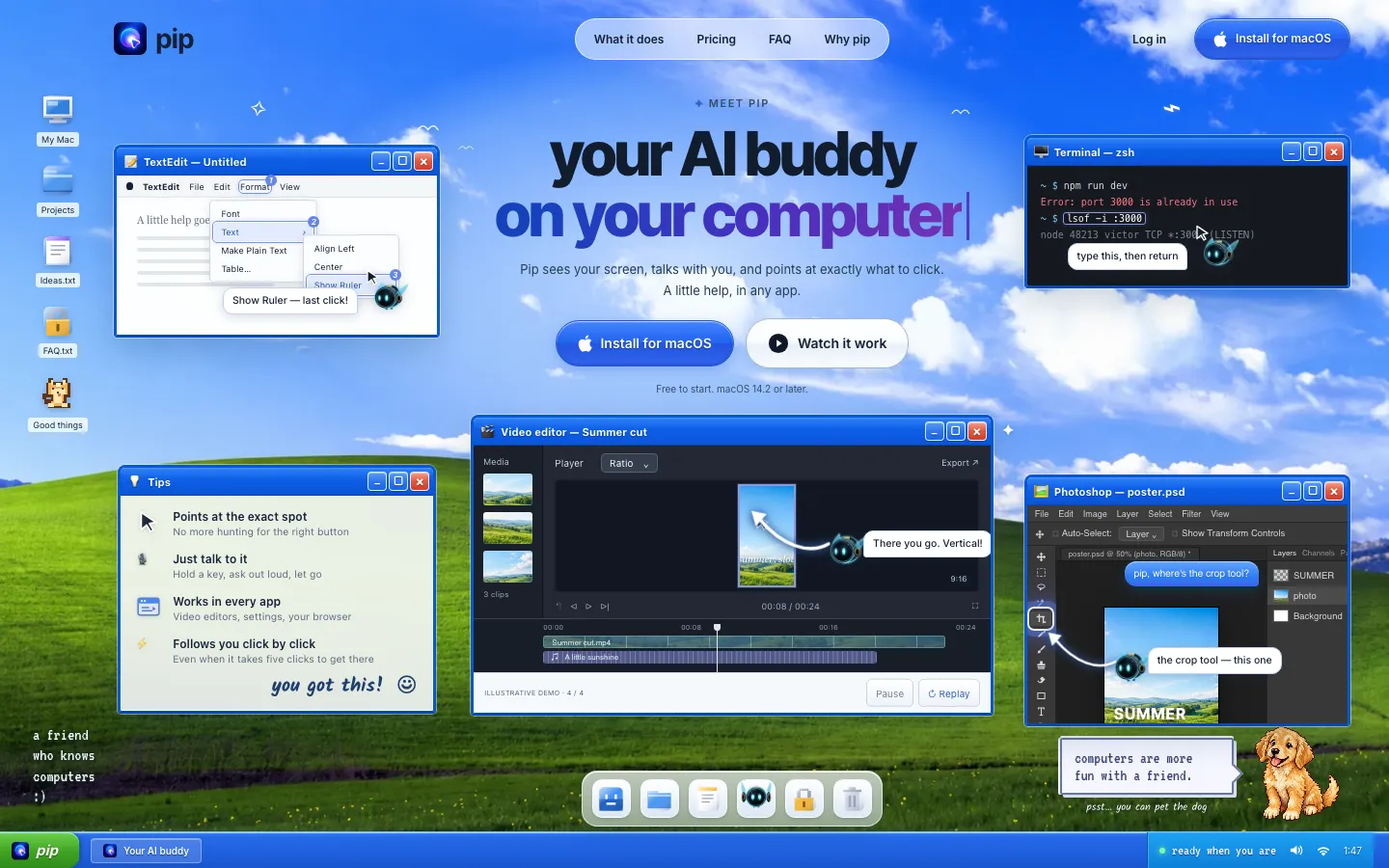
Fig. 1: The real homepage: the buddy points at the exact menu item.

A buddy that points

A buddy that points where to click. Let's try it.

What Ayush said · walkthrough

“it talks about like your AI being your buddy for your Mac. It can see your screen, can talk through it and point exactly where to click”
Teardown 03 · Pip, the Mac screen buddyTrust 50%60%
{TAP}

Fig. 2: Onboarding opens with one easy question.

An easy start

Easy start.

What Ayush said · walkthrough

“the download process was simple and straightforward.”

Teardown 03 · Pip, the Mac screen buddyTrust 60%40%
{TAP}

Fig. 3: Three permissions in a row, with no reason given.

Three switches, no why

My whole screen? Tell me why first.

What Ayush said · walkthrough

“It was asking for the permission related to your accessibility, screen viewing, plus your microphone access.”

Teardown 03 · Pip, the Mac screen buddyTrust 40%30%

Fig. 4: Screen Recording, switched on. Nothing says what Pip keeps.

My whole screen

Mic and accessibility are normal. The screen is not.

What Ayush said · walkthrough

“getting the screen without saying what is the trust factor or telling them that every information is safe”

Teardown 03 · Pip, the Mac screen buddyTrust 30%55%

Fig. 5: Before: a bare switch. After: a face and three plain answers first.

A face first

A face and a promise, before the switch.

What Ayush said · walkthrough

“just telling the user by showcasing a video of the founder itself explaining helps connect uh, that with the application as trustworthy”

Teardown 03 · Pip, the Mac screen buddyTrust 55%35%
{SCROLL}

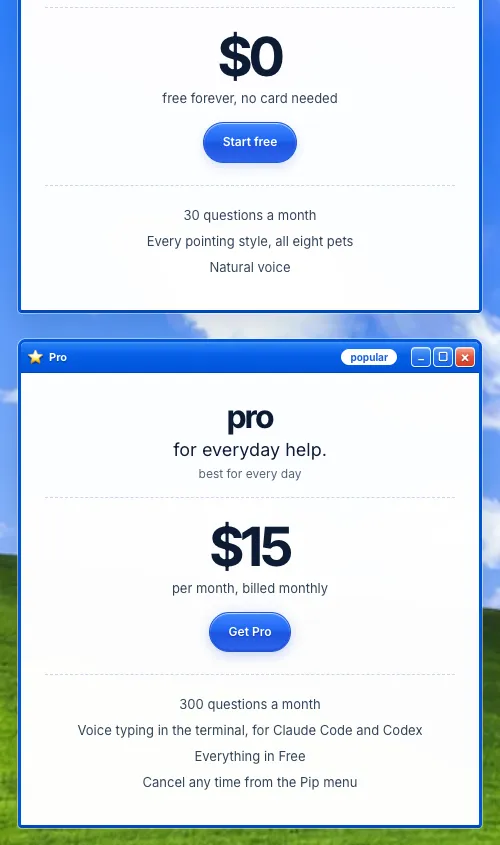
Fig. 6: The real pricing: 30 questions free, then $15 a month for 300.

$15 for 300

The people who ask the most pay the most.

What Ayush said · walkthrough

“for 30 questions it is priced free but as you go more questions for 300 questions you will have to pay like 15 uh, dollars”

Teardown 03 · Pip, the Mac screen buddyTrust 35%25%
{WAIT}

Fig. 7: A terminal and an IDE. Pip's answer is still loading.

Lost on hard screens

Fine on simple screens. Lost on hard ones.

What Ayush said · walkthrough

“then it started taking more time as well as not giving satisfactory answer.”

Teardown 03 · Pip, the Mac screen buddyTrust 25%55%

Fig. 8: Before: priced per question for experts. After: the same buddy on a phone, for a first-timer.

Built for beginners

The people who'd love it most.

What Ayush said · walkthrough

“someone who is using a computer for the first time or someone at a old age who do not know how to use a computer”

Teardown 03 · Pip, the Mac screen buddyTrust 55%

What mattered

The journey

Trust, slide by slide

Three moments

  1. 03Three switches, no why
  2. 06$15 for 300
  3. 07Lost on hard screens
Teardown 03 · Pip, the Mac screen buddyTrust 55%

C-

Our grade

Pointing is the promise

Pointing is the promise. Prove it.

What Ayush said · teardown

“A clear, useful idea aimed at the wrong crowd.”