Get the next teardown in your inbox.

One email when a new teardown is out. Free, one click to leave.

We'll email you a link to confirm. No account, no password.

Teardown 05 · Skreno, the browser screen recorderTrust 50%

Teardown 05

Skreno

A screen recorder that hides the one sign it's recording

What Ayush said · teardown

“Record your screen in the browser, add your voice on top, and download the finished video.”

10 screens · about 3 min

start ▶

I need to show my team a bug. A quick recording, no fuss.

Teardown 05 · Skreno, the browser screen recorderTrust 50%55%
{TAP}

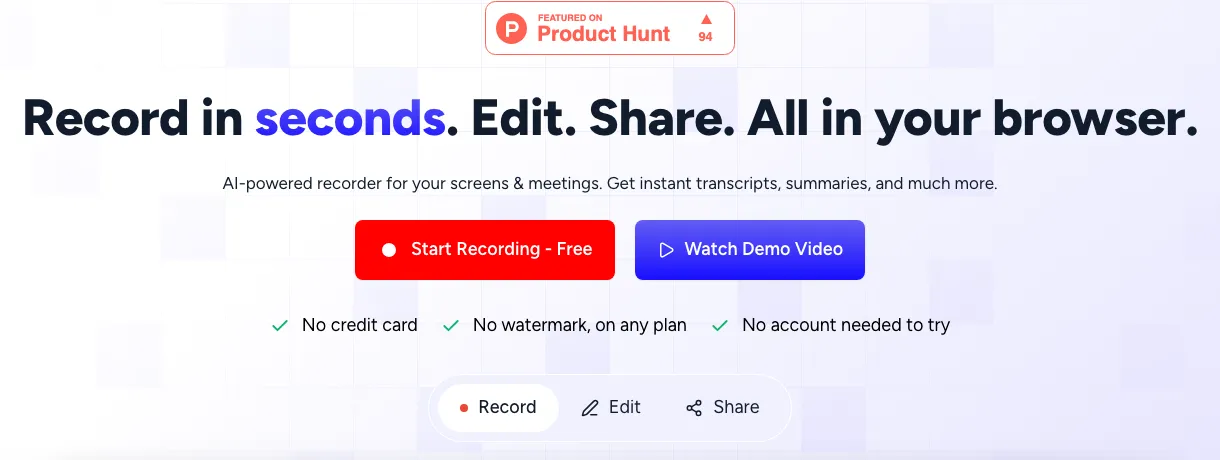
Fig. 1: The home page: record, edit, share, all in the browser.

Record, talk, download

Record, talk, download. Simple.

What Ayush said · walkthrough

“You can start a screen recording, then record your voice on top of it, and you can download the finished voice.”
Teardown 05 · Skreno, the browser screen recorderTrust 55%60%
{TAP}

Fig. 2: Two paths. I take the transcript one.

Transcript path, easy

Transcript path. Easy so far.

What Ayush said · walkthrough

“I was going through the workflow for the transcript one. It was pretty straightforward”

Teardown 05 · Skreno, the browser screen recorderTrust 60%40%
{WAIT}

Fig. 3: Recording. Spot the sign: top right, tiny.

Am I even recording?

Am I recording? Nothing tells me.

What Ayush said · walkthrough

“the side panel that comes on the recorder to see if it's working or not was in the right-side corner. We were not even aware that it was there somewhere”

Teardown 05 · Skreno, the browser screen recorderTrust 40%30%
{WAIT}

Fig. 4: The same corner, one frame apart.

There, then gone

Found it. Now it's gone again.

What Ayush said · walkthrough

“even after we saw it was only showing up a few times.”

Teardown 05 · Skreno, the browser screen recorderTrust 30%

Fig. 5: Where recorders usually put it, and where this one does.

Controls where nobody looks

Every other recorder puts this in the middle.

What Ayush said · walkthrough

“what I have seen in screen recording platforms is that the action buttons are usually in the middle, at the top middle, or at the bottom middle.”

Teardown 05 · Skreno, the browser screen recorderTrust 30%50%

Fig. 6: The same recording, before and after.

Where my eyes are

Where my eyes already are.

What Ayush said · teardown

“Move recording controls to the top or bottom middle of the screen.”

Teardown 05 · Skreno, the browser screen recorderTrust 50%25%
{TAP}

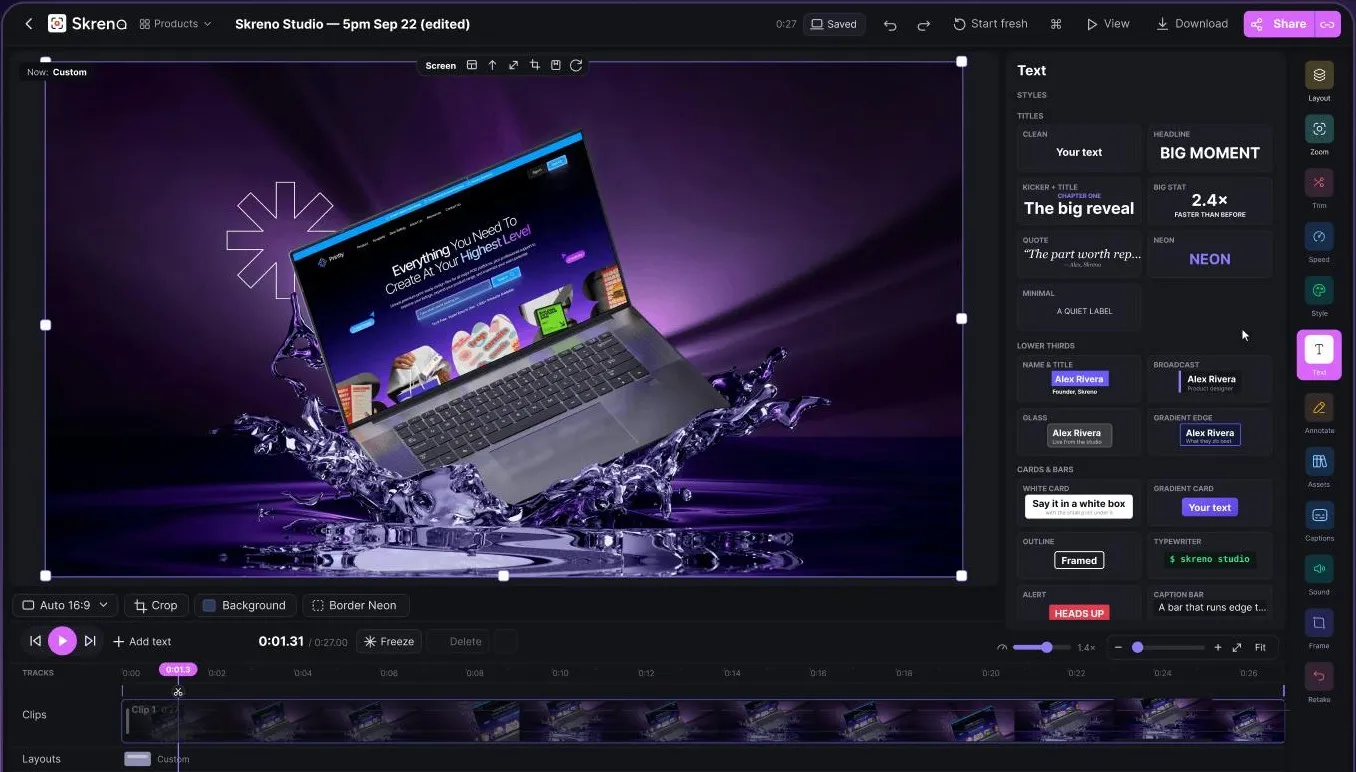
Fig. 7: The editor: we edit it for you, with every tool out at once.

“We edit it”, you do

“We edit it for you.” With all of these?

What Ayush said · walkthrough

“you put up the video, and we will edit it for you, but you will have all the tools. This situation was pretty complicated.”

Teardown 05 · Skreno, the browser screen recorderTrust 25%20%
{SCROLL}

Fig. 8: The tools up close: icons and studio words.

Built for designers

Built for designers. I'm not one.

What Ayush said · walkthrough

“it's obviously made for graphic designers and people who are in those fields.”

Teardown 05 · Skreno, the browser screen recorderTrust 20%40%

Fig. 9: The same tools, before and after.

Say what it does

Tell me what it does, then I'll use it.

What Ayush said · teardown

“Make the editor approachable for non-designers, explaining what each tool does.”

Teardown 05 · Skreno, the browser screen recorderTrust 40%

What mattered

The journey

Trust, slide by slide

Three moments

  1. 03Am I even recording?
  2. 05Controls where nobody looks
  3. 07“We edit it”, you do
Teardown 05 · Skreno, the browser screen recorderTrust 40%

C

Our grade

Recording should be easy

Recording should be the easy part.

What Ayush said · teardown

“The core recording and transcript flow works, but a hard-to-find, unreliable recording indicator and an editor pitched at designers undercut a product that should feel effortless.”