Record, talk, download
Record, talk, download. Simple.
“You can start a screen recording, then record your voice on top of it, and you can download the finished voice.”
Teardown 05
A screen recorder that hides the one sign it's recording
“Record your screen in the browser, add your voice on top, and download the finished video.”
10 screens · about 3 min
start ▶I need to show my team a bug. A quick recording, no fuss.

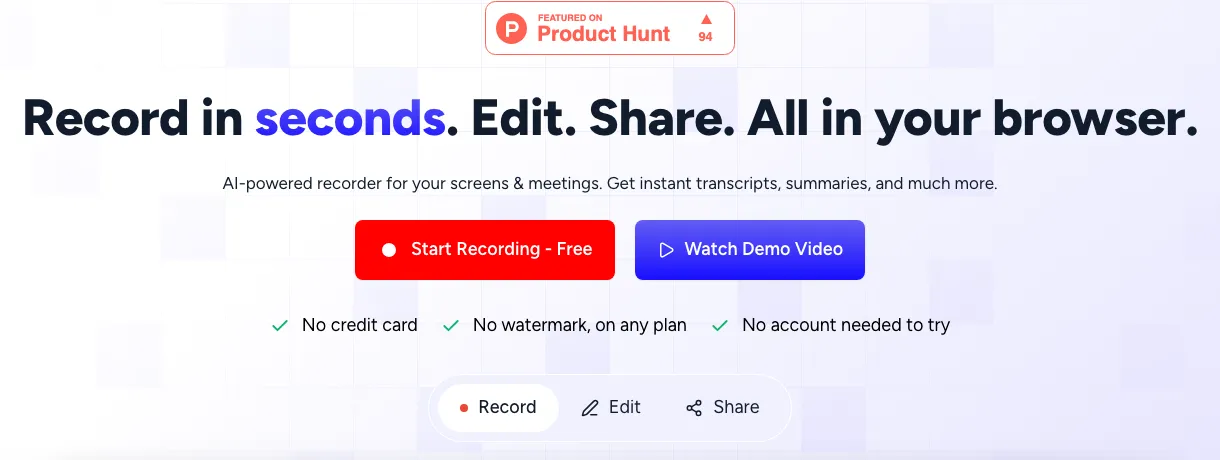
Fig. 1: The home page: record, edit, share, all in the browser.
Record, talk, download. Simple.
“You can start a screen recording, then record your voice on top of it, and you can download the finished voice.”
Pick one. You can switch later.
Fig. 2: Two paths. I take the transcript one.
Transcript path. Easy so far.
“I was going through the workflow for the transcript one. It was pretty straightforward”
Fig. 3: Recording. Spot the sign: top right, tiny.
Am I recording? Nothing tells me.
“the side panel that comes on the recorder to see if it's working or not was in the right-side corner. We were not even aware that it was there somewhere”
Fig. 4: The same corner, one frame apart.
Found it. Now it's gone again.
“even after we saw it was only showing up a few times.”
Fig. 5: Where recorders usually put it, and where this one does.
Every other recorder puts this in the middle.
“what I have seen in screen recording platforms is that the action buttons are usually in the middle, at the top middle, or at the bottom middle.”
Fig. 6: The same recording, before and after.
Where my eyes already are.
“Move recording controls to the top or bottom middle of the screen.”

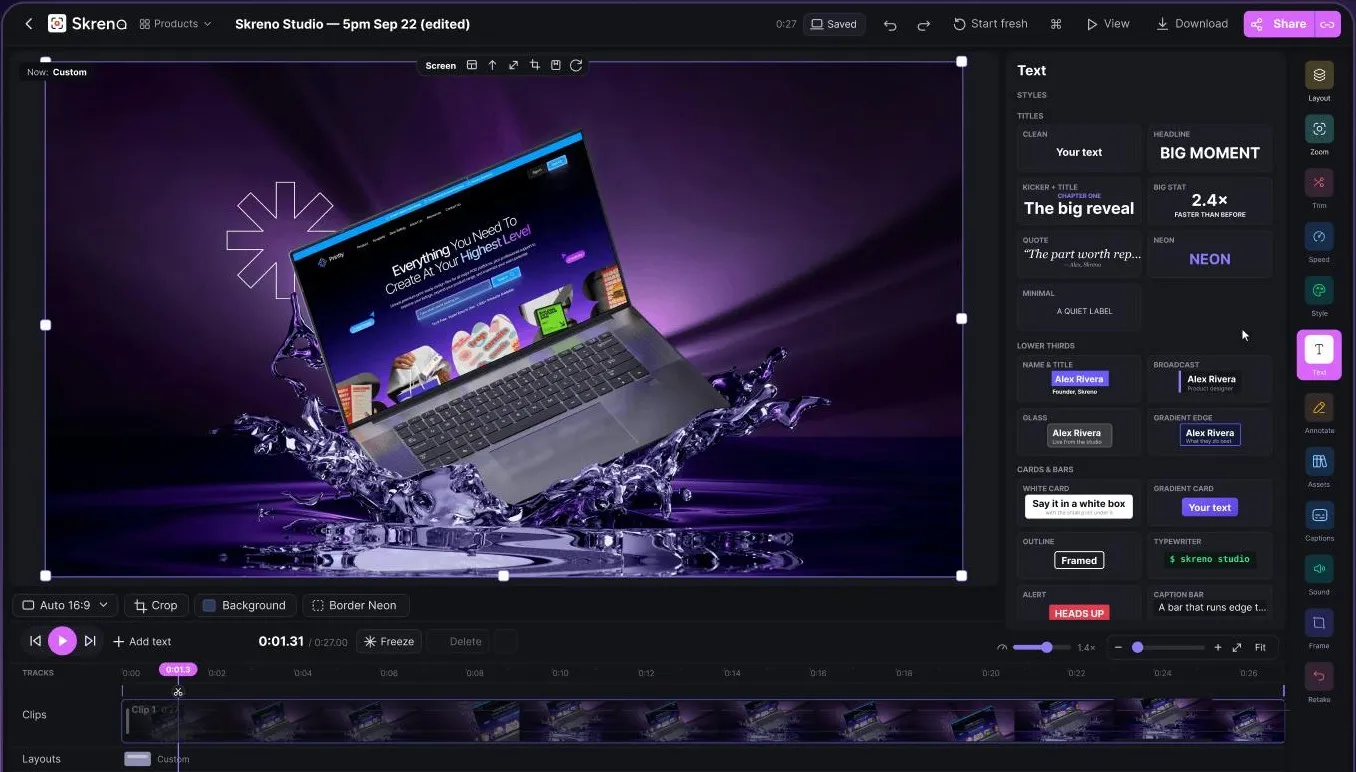
Fig. 7: The editor: we edit it for you, with every tool out at once.
“We edit it for you.” With all of these?
“you put up the video, and we will edit it for you, but you will have all the tools. This situation was pretty complicated.”
Twelve icons, a pile of studio words, and no hint of what any of them does.
Fig. 8: The tools up close: icons and studio words.
Built for designers. I'm not one.
“it's obviously made for graphic designers and people who are in those fields.”
Twelve icons, a pile of studio words, and no hint of what any of them does.
More tools (Layout, Speed, Style, Frame…) when you want them ▾
Fig. 9: The same tools, before and after.
Tell me what it does, then I'll use it.
“Make the editor approachable for non-designers, explaining what each tool does.”
C
Our grade
Recording should be the easy part.
“The core recording and transcript flow works, but a hard-to-find, unreliable recording indicator and an editor pitched at designers undercut a product that should feel effortless.”